1 Introduction
Acme.sh is a free project that can get free ssl certificate from Let’s encrypt. When we use openmediavault(6.0) as our nas, we often need to apply a certificate to enable ssl web interface and ensure we can get more data security.
2 Preparation
First, remove all things related to acme, including files and subdirectories in the root path.
3. Install dependencies
#apt-get install socat
4 Install and issue a certificate
#curl https://get.acme.sh | sh
#cd ./.acme.sh

append to the file account.conf the following content:

Dynu_ClientId='xxxxxxxxxxxxxxxxxxxxxxx'
Dynu_Secret='xxxxxxxxxxxxxxxxxxxxxxxxxxx'

test staging:
#~/.acme.sh/acme.sh --staging --issue --dns dns_dynu -d example.org \
--accountemail "ex@ex.com"
after success:
#~/.acme.sh/acme.sh --force --issue --dns dns_dynu -d example.org \
--accountemail "ex@ex.com"
The certificates generated by default are placed in ~/.acme.sh/, you can use the --install-cert command to copy the certificate to the specified location.
Only by copying the certificate in this way can it be automatically updated later, and the manually copied certificate cannot be automatically updated.
#mkdir /ssl
#export DOMAIN=example.org
#~/.acme.sh/acme.sh --install-cert -d "${DOMAIN}" \
--cert-file /ssl/"${DOMAIN}".crt \
--key-file /ssl/"${DOMAIN}".key \
--fullchain-file /ssl/"${DOMAIN}"-fullchain.pemAutomatic updates can be turned on (optional) #~/.acme.sh/acme.sh --upgrade --auto-upgrade When acme.sh is installed, a cron task is automatically configured, which will check the certificate status every day. Of course, you can take a look at crontab. #crontab -e
5 Import Certificate in openmediavault
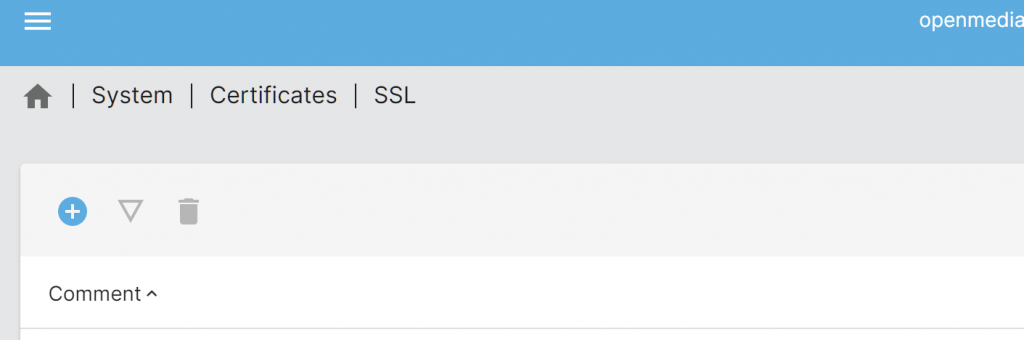
Navigate to System->certificates->SSL, + to Import SSL certificates,
above: example.org.key
Below: example.org-fullchain.pem
6 Enable SSL in the web interface
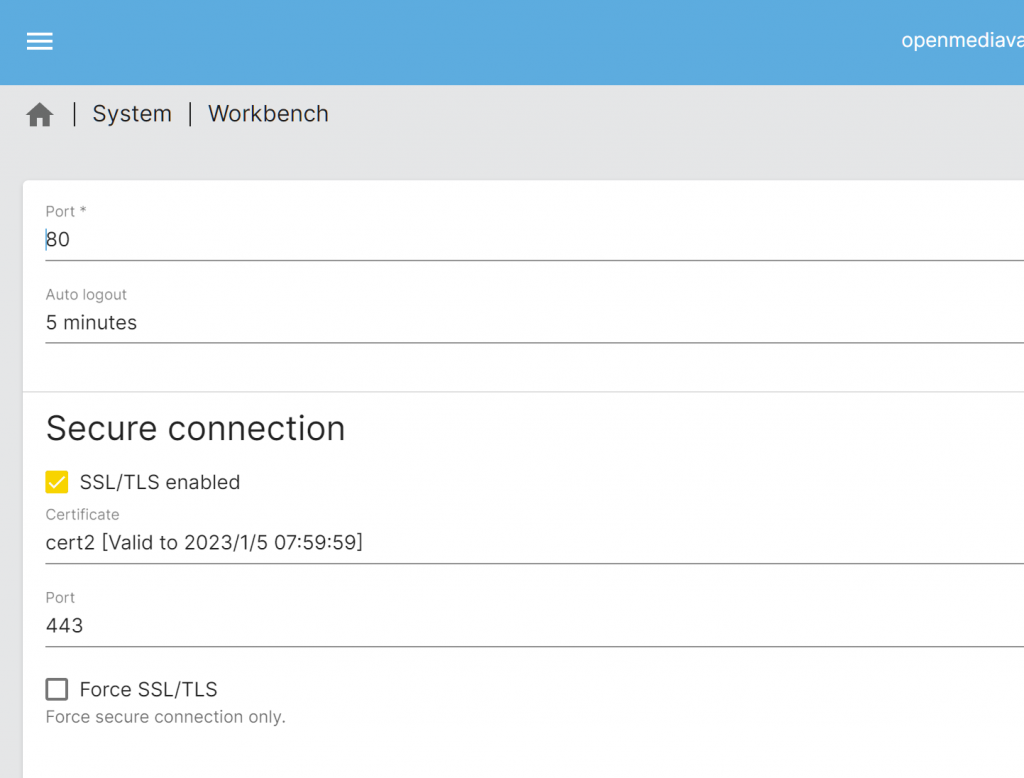
Browse to System->Workbench, select the SSL certificate former generated,
enable the switch, then you can use port mapping from local to wan and access openmediavault
by the domain name using HTTPS protocol.